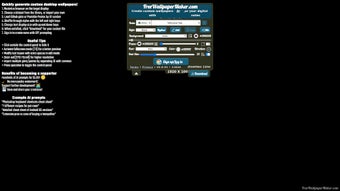

Download FreeWallpaperMaker – AI‑Powered Custom Wallpaper Generator
Overview
FreeWallpaperMaker is a completely free, AI‑driven design platform that enables anyone – from students and teachers to freelancers and corporate users – to craft personalized desktop and mobile wallpapers in a matter of minutes. The service works directly in a modern web browser, which means there is no bulky installer, no license key, and no hidden fees. By simply typing a short description or pasting a JSON snippet, the underlying machine‑learning engine interprets the input and instantly produces a high‑resolution background that matches the requested theme, font style, color palette, and even measurement units.
Whether you are looking for a clean white‑marble canvas for a professional workspace, an educational layout that visualizes keyboard shortcuts, or a study‑guide wallpaper that blends metric and imperial measurements, FreeWallpaperMaker offers a ready‑made template that can be fine‑tuned to your exact preferences. The interface is built with privacy in mind: no third‑party trackers, transparent terms of service, and automatic deletion of temporary files after 24 hours. Users also benefit from the exclusive “RndEditSaveMix” button, which instantly generates multiple design permutations, allowing rapid experimentation without the need for manual tweaks.
Because the tool is cloud‑based, all rendering happens on secure servers, keeping your local device fast and free from heavy processing loads. Export options include PNG, JPG, and WebP formats, each optimized for Windows, macOS, Android, or iOS displays. In short, FreeWallpaperMaker combines the power of AI, the convenience of a web app, and a privacy‑first philosophy into a single, easy‑to‑use wallpaper creator.
Key Features & How to Use Them
Feature List
- AI‑generated wallpaper layouts based on plain‑text or JSON input.
- Wide variety of design themes: White Marble, Keyboard Shortcuts, Study Guides, Nature, Minimalist, and more.
- Full control over fonts, font weights, color schemes, and measurement units (Metric/Imperial).
- “RndEditSaveMix” button for rapid generation of alternative compositions.
- One‑click export to PNG, JPG, or WebP formats with automatic resolution scaling for desktop and mobile screens.
- Privacy‑first architecture with GDPR‑style data handling and no third‑party tracking.
- Responsive web UI that works on any modern browser without additional plugins.
- Optional cloud account for saving designs, sharing via link, and syncing across devices.
Installation & Usage Instructions
Because FreeWallpaperMaker runs entirely in the browser, the installation process is essentially a “download‑free” experience. Follow these detailed steps to start creating custom wallpapers:
- Open a supported browser (Chrome, Edge, Firefox, Safari) and navigate to the official FreeWallpaperMaker website.
- Click the bright “Start Creating” button on the homepage. Registration is optional, but creating an account enables cloud storage of your projects.
- From the left‑hand sidebar, select a design theme that best fits your purpose. Each theme displays a live preview and suggested color palettes.
- Enter your custom text in the input field or paste a JSON block that defines layout elements, measurements, and content hierarchy. The AI instantly parses the data and renders a preview on the right‑hand canvas.
- Use the top toolbar to adjust font family, size, weight, and color. Toggle between metric and imperial units if your design includes dimensional information.
- Press the “RndEditSaveMix” button. The system will generate 3‑5 alternative designs based on your current settings, each with subtle variations in spacing, color contrast, and element placement.
- Select the version you prefer, then click “Save” to download the image. Choose the appropriate resolution preset (e.g., 1920×1080 for a desktop, 1080×1920 for a phone) before exporting.
- If you created a cloud account, you can also click “Store in Cloud” to keep the project accessible for future edits on any device.
The workflow is intentionally streamlined: the AI handles complex layout calculations, while the user retains creative control over aesthetics. Because all heavy processing occurs on the server, even low‑end laptops and tablets remain responsive throughout the design session.
Compatibility and System Requirements
FreeWallpaperMaker is a web‑based application, which makes it compatible with virtually any operating system that supports a modern browser. The tool has been rigorously tested on the following platforms:
- Windows 10/11 – Chrome, Edge, Firefox, and Safari (via Windows Subsystem for Linux)
- macOS Ventura and later – Safari, Chrome, Firefox
- Linux distributions – Ubuntu, Fedora, Debian (any Chromium‑based browser)
- Android 8.0+ – Chrome, Firefox, Samsung Internet
- iOS 13+ – Safari, Chrome
No additional plugins, Java, or Flash components are required; the only client‑side prerequisite is a stable internet connection with a minimum speed of 2 Mbps for smooth preview updates. For optimal performance, we recommend a screen resolution of at least 1366×768, which ensures the design canvas displays fully without horizontal scrolling.
Because the application stores generated assets temporarily on secure servers, it automatically deletes files after 24 hours unless you explicitly download them or save them to your cloud account. This approach reduces local storage demands and minimizes the risk of data leakage – a crucial consideration for educational institutions, corporate environments, and privacy‑conscious users.
In addition to standard desktop and laptop browsers, the responsive UI adapts to touch‑enabled devices, allowing you to create, edit, and export wallpapers directly from a smartphone or tablet. The export process automatically selects the appropriate image dimensions based on the device type you specify, guaranteeing a perfect fit on both high‑DPI displays and standard screens.
Pros, Cons, FAQ, and Final Thoughts
Pros
- Fully free with no hidden costs or subscription fees.
- AI‑driven design eliminates the need for graphic‑design expertise.
- Extensive theme library and flexible text/JSON input.
- One‑click export to multiple image formats optimized for all devices.
- Privacy‑focused architecture with clear data policies and automatic file deletion.
- Responsive UI works on Windows, macOS, Linux, Android, and iOS.
- Optional cloud storage for project syncing and sharing.
Cons
- Requires an active internet connection; offline usage is not supported.
- Advanced vector editing features are limited compared with professional suites like Adobe Illustrator.
- Export resolution is capped at 4K; ultra‑high‑resolution monitors may need manual upscaling.
- Customization options for complex animations or interactive wallpapers are not available.
Frequently Asked Questions
Is FreeWallpaperMaker really free?
Yes. All core features, including AI generation, theme selection, and export options, are completely free. There are no hidden subscription fees or premium tiers.
Can I use the generated wallpapers for commercial purposes?
Absolutely. The license granted by FreeWallpaperMaker allows personal, educational, and commercial use of the exported images, provided you do not redistribute the raw AI model or claim authorship of the underlying code.
What file formats are supported for export?
You can download wallpapers as PNG, JPG, or WebP. PNG is recommended for lossless quality, while JPG offers smaller file sizes for faster loading on mobile devices.
How does the “RndEditSaveMix” button work?
When you click “RndEditSaveMix,” the AI generates several alternative layouts based on your current inputs, mixing font styles, colors, and element positions. You can then preview each variant and save the one you prefer.
Is my data safe when I use the platform?
Yes. FreeWallpaperMaker processes all inputs on secure servers, does not store personal data longer than 24 hours, and complies with GDPR‑like privacy standards. No third‑party trackers are embedded.
Conclusion & Call to Action
FreeWallpaperMaker stands out as a lightweight, privacy‑centric solution for anyone who wants custom, AI‑generated wallpapers without the overhead of traditional design software. Its intuitive UI, rich theme library, and the powerful “RndEditSaveMix” feature enable rapid creation of visually appealing backgrounds for workstations, tablets, and smartphones alike. While it does rely on an internet connection and may lack the depth of professional vector tools, the trade‑off is a seamless, cost‑free experience that anyone can master in minutes. If you’re looking to refresh your desktop, add a study guide to your phone, or simply explore creative AI‑driven design, download FreeWallpaperMaker today and start personalizing your screens with just a few clicks.



.png)



